

Customer & Staff Portals
Let people answer their own questions.
A portal earns its keep by removing the phone calls and emails that exist only because information is locked inside your office.
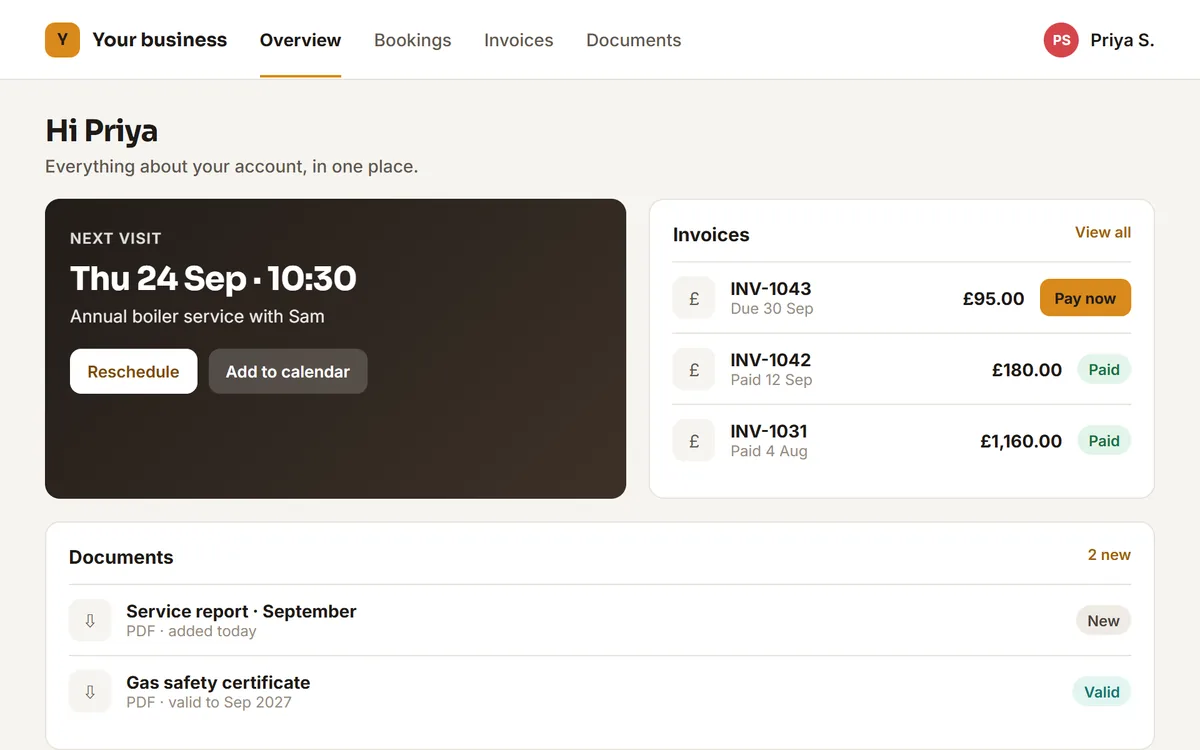
Designed example with invented sample data, not client work.
Sound familiar?
If more than one of these is true, this is usually the piece worth fixing first.
- The same questions arrive by phone every week: when, how much, where is it.
- Documents get emailed one at a time, on request.
- Reporting means exporting to a spreadsheet and rebuilding the same view.
- Staff need information that lives in a system they cannot safely be given.
What a build includes
What you actually get
Scope is agreed before anything starts, so this is a starting point for that conversation rather than a fixed package.
Secure sign-in with real boundaries
People see their own records and nothing else, enforced on the server rather than hidden in the interface.
Self-service where it saves time
Bookings, documents, statements and updates available without anyone being asked for them.
Dashboards that answer a question
Built around the decisions you actually make, instead of a wall of charts nobody reads.
Staff and admin views
The people supporting customers get the tools to do it, with a record of what changed.
In practice
A customer signs in to check their booking and download an invoice, instead of phoning to ask.
Where this fits
Examples of the shape of business this suits. Not a client list.
- Schools and training providers giving parents or learners their own area
- Clinics and salons with bookings and history
- Property and lettings, where tenants and landlords need different views
- Any business sending the same documents on request
Questions
Before you ask us
How do we know customer data is kept separate?
Access is checked on the server for every request, not just hidden from the screen. Who can see what is agreed as part of the scope, before anything is built.
Can people log in with an account they already have?
Usually yes, and it is worth considering: fewer passwords means fewer support requests.
Do we need a portal, or would a dashboard do?
Often a dashboard for your team is the cheaper half of the problem, and the customer-facing side can follow later. That is a reasonable first phase.
The other two
Manage Leads & Customers
Leads, pipelines, follow-ups, quotes and customer records in one place.
Run Jobs & Operations
Scheduling, staff, jobs, quotes, invoices and the daily workflow. Suits trades, maintenance, cleaning and property services.
One conversation. A clearer next step.
Not every problem needs
custom software.
If an existing tool solves it properly, we’ll say so. The point is fixing the problem, not selling a build.
Tell us what’s slowing your team down.
Free first call, no sales pitch.