

Run Jobs & Operations
One place to run the day’s work.
From the job landing to the money arriving, without the same details being typed into three different places on the way.
Sound familiar?
If more than one of these is true, this is usually the piece worth fixing first.
- The schedule lives on a whiteboard, a calendar and someone’s messages.
- The same address and contact get re-typed onto the quote, the job and the invoice.
- Nobody can see what is outstanding without asking around.
- Work gets done but invoicing slips, because the two are not connected.
What a build includes
What you actually get
Scope is agreed before anything starts, so this is a starting point for that conversation rather than a fixed package.
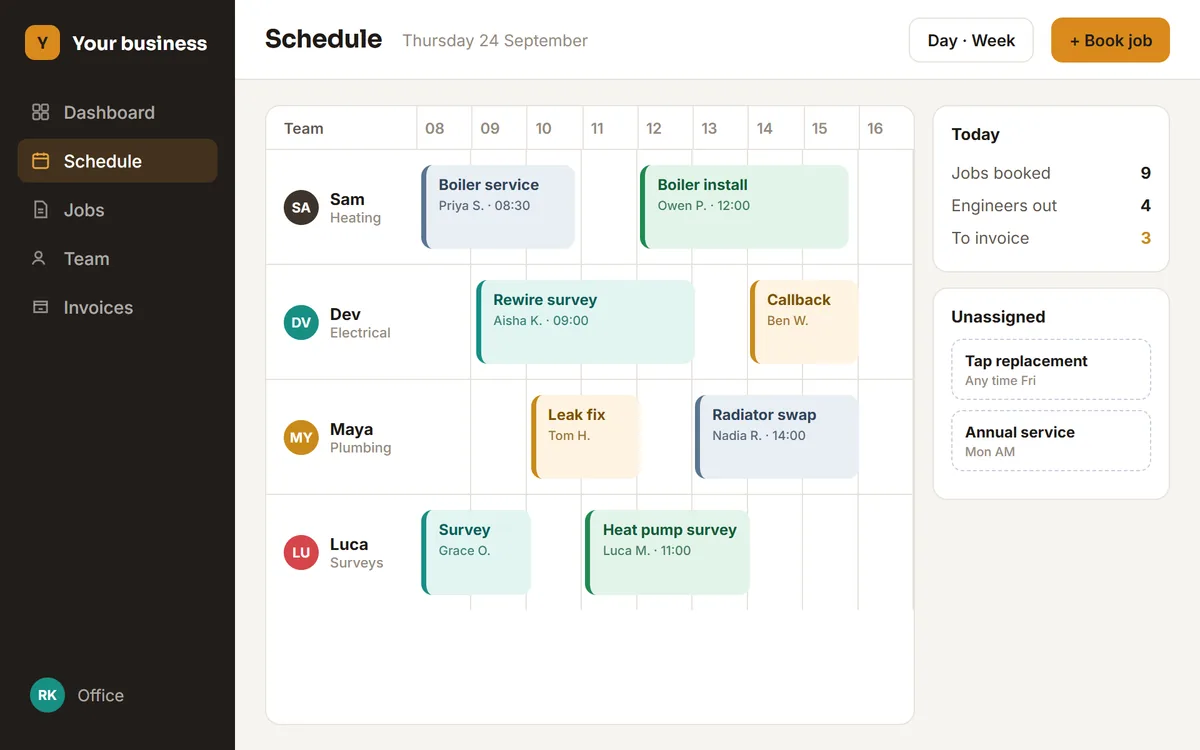
Scheduling with the whole picture
Who is doing what and when, with clashes caught before they become a phone call.
One job record, start to finish
Quote, appointment, notes, photos and invoice status attached to the same job rather than scattered.
Staff views that fit the role
The office sees the full board; someone on site sees today, their jobs and what they need to record.
The money side connected
Completed work becomes an invoice without re-entry, and what is unpaid stays visible.
In practice
Book a job to an engineer, send the quote, and mark it invoiced without re-typing the address anywhere.
Where this fits
Examples of the shape of business this suits. Not a client list.
- Trades: electrical, plumbing, heating, installation
- Maintenance and facilities teams with recurring visits
- Cleaning and grounds businesses with rotas across sites
- Property services managing jobs across multiple addresses
Questions
Before you ask us
We already use an off-the-shelf job app. Is this worth it?
Only if the app is now the constraint: per-user pricing that keeps growing, a workflow you work around rather than with, or a wall between the jobs and the accounts. If it is doing the job, keep it.
Does it work on a phone out on site?
Yes. The on-site view is designed for a phone, because that is where it is used, and it is kept to what someone actually needs while standing in a customer’s hallway.
Can it connect to our accounting software?
Usually. Connecting to the accounts you already keep is normally better than rebuilding them, and we work out what is possible before quoting.
The other two
Manage Leads & Customers
Leads, pipelines, follow-ups, quotes and customer records in one place.
Customer & Staff Portals
Dashboards, booking systems and account areas so customers or staff can serve themselves.
One conversation. A clearer next step.
Not every problem needs
custom software.
If an existing tool solves it properly, we’ll say so. The point is fixing the problem, not selling a build.
Tell us what’s slowing your team down.
Free first call, no sales pitch.